























How to Take Better Photos with Your Phone: 10 Easy Tips
Your phone camera is better than you think. These 10 easy tips — light, composition, focus and editing — instantly improve every photo you take.

Modern phone cameras are genuinely excellent — most disappointing photos fail because of technique, not hardware. These ten simple tips work on any phone, cost nothing, and improve your photos immediately.
1. Clean the Lens
Your phone lives in pockets and hands, so its lens is usually smudged. A two-second wipe with a soft cloth removes the haze that ruins contrast and makes night photos glow oddly. It is the highest-value tip on this list.
2. Find Good Light
Light matters more than the camera. Shoot near windows indoors, and outdoors aim for the golden hours — early morning and late afternoon — when light is soft and warm. Avoid harsh midday sun and never shoot with a bright window behind your subject.
3. Tap to Focus and Expose
Tap the screen on your subject to focus there, then slide the brightness control up or down to get the exposure right. This one habit fixes most blurry, too-dark or washed-out photos.
4. Use the Rule of Thirds
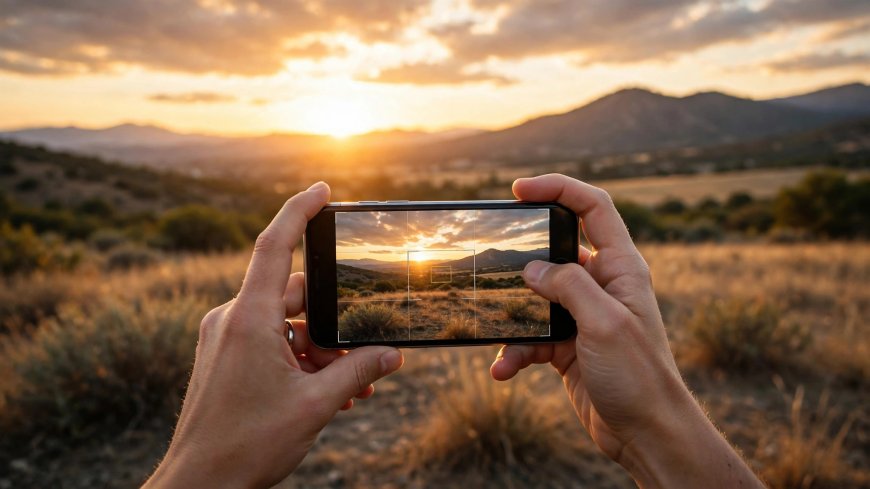
Turn on the grid in your camera settings and place your subject along the lines or intersections rather than dead centre. Horizons belong on the top or bottom line, not across the middle. Photos instantly look more professional.
5. Get Closer Instead of Zooming
Digital zoom crops and degrades the image. Walk closer instead. For portraits, a few steps forward also gives a more flattering perspective than zooming from across the room.
6. Hold Steady
Use both hands, tuck your elbows in, and lean against something solid in low light. Or set the phone on a stable surface and use the timer. Sharpness is mostly about stillness.
7. Watch the Background
Before pressing the shutter, glance at the edges: bins, poles growing out of heads, strangers walking in. A small step sideways or a lower angle often cleans the scene completely.
8. Take Several and Choose
Professionals shoot many frames and keep the best. Take three or four of every moment — eyes open, smiles natural — and delete the rest. Storage is cheaper than a missed memory.
9. Try Portrait and Night Modes Deliberately
Portrait mode blurs backgrounds beautifully for people and pets, but needs good light and some distance. Night mode needs a steady hand and a still subject. Use them on purpose, not by default.
10. Edit Lightly
A small edit beats a heavy filter. In your photo app, adjust brightness, contrast and saturation just a little, straighten the horizon, and crop distractions from the edges. The goal is a photo that looks like the moment felt.
You do not need a new phone or a photography course. Clean lens, good light, steady hands, and a moment of attention to composition — that is ninety percent of great photos.
What's Your Reaction?
 Like
0
 Dislike
0
 Love
0
 Funny
0
 Angry
0
 Sad
0
 Wow
0